
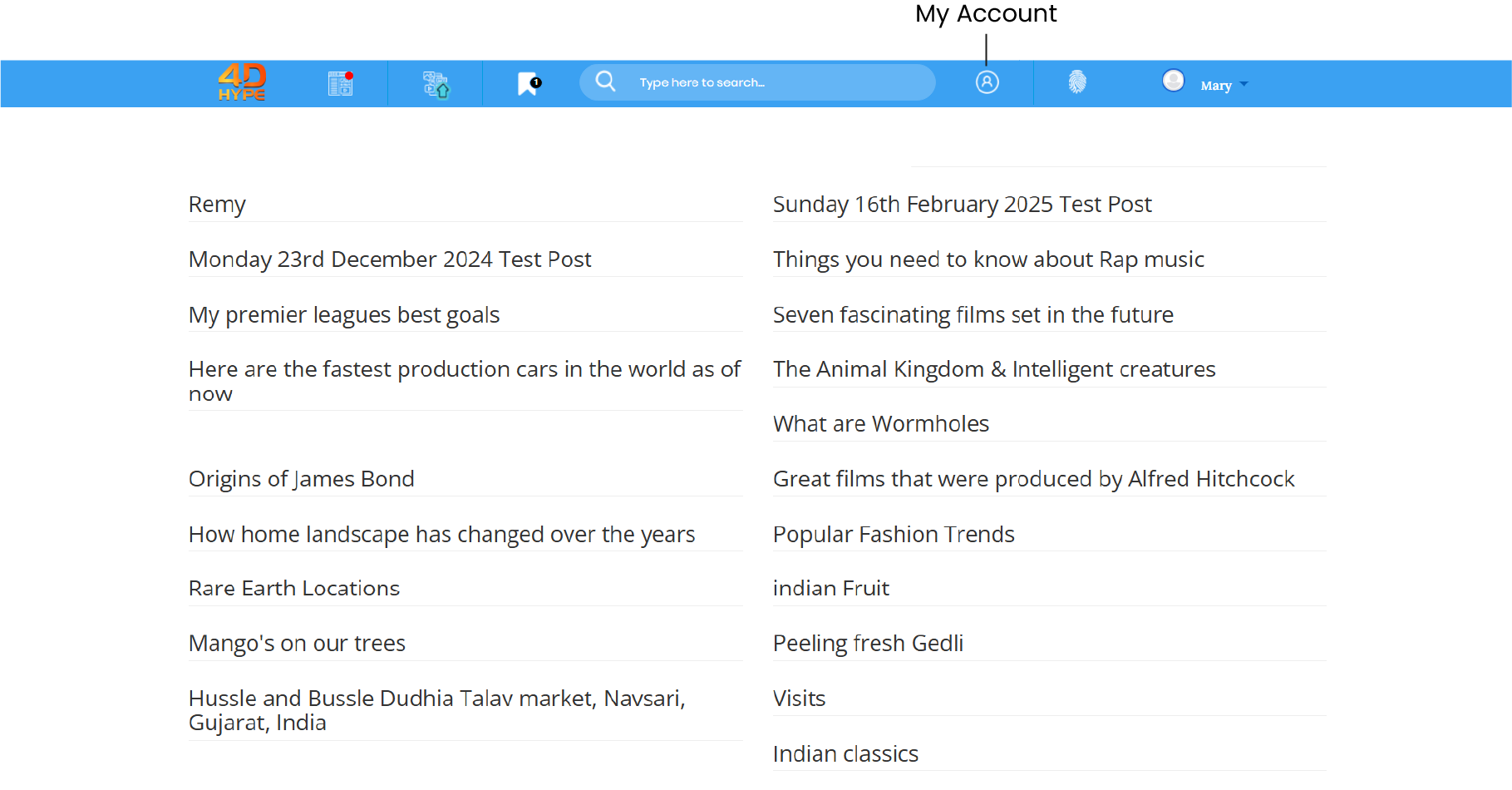
1. From the homepage, from the top bar find and click on the 'My Account  ' icon.
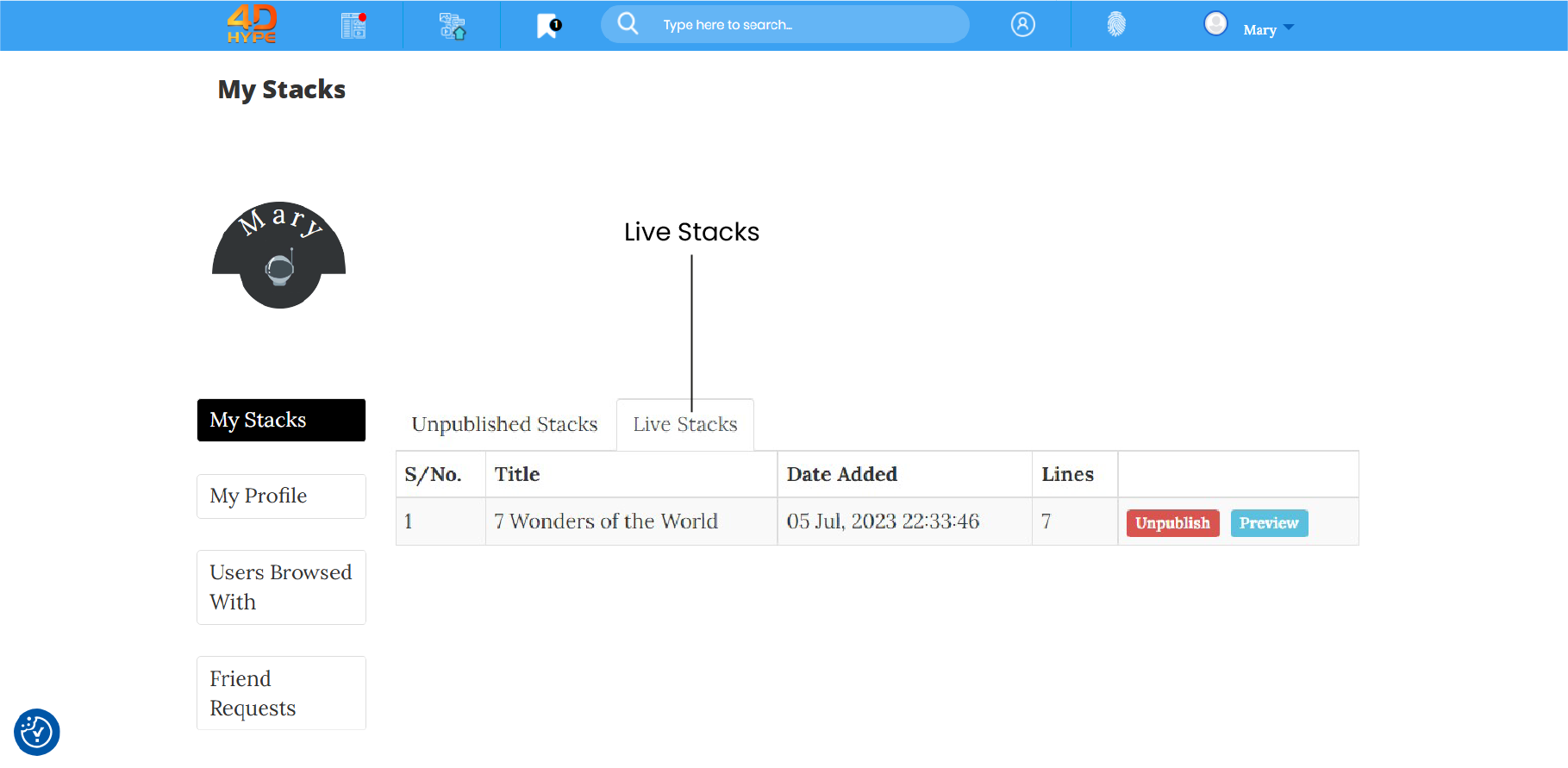
2. Then click the 'Live Stacks' tab.
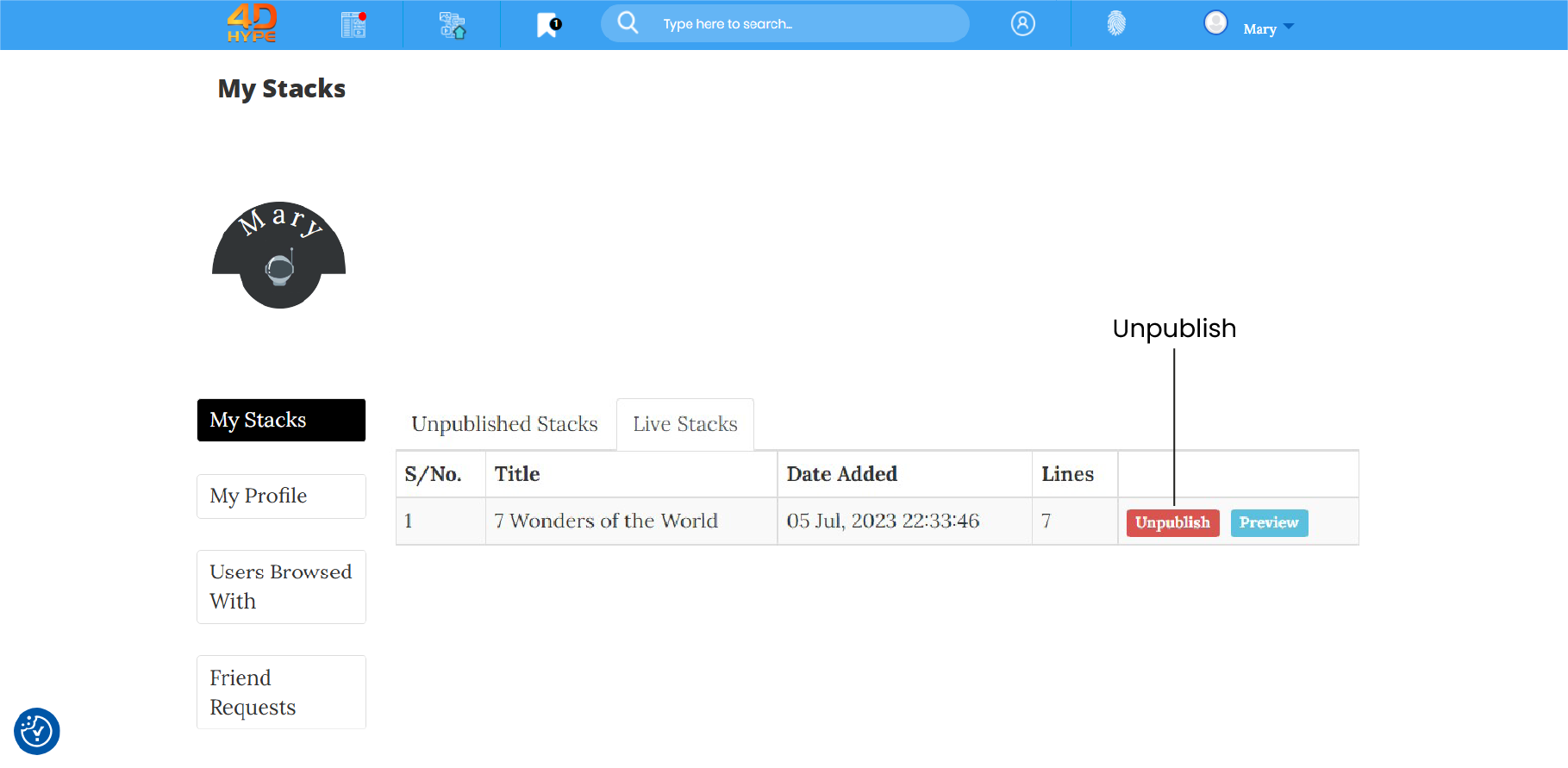
3. To unpublish click on the 'Unpublish' button.

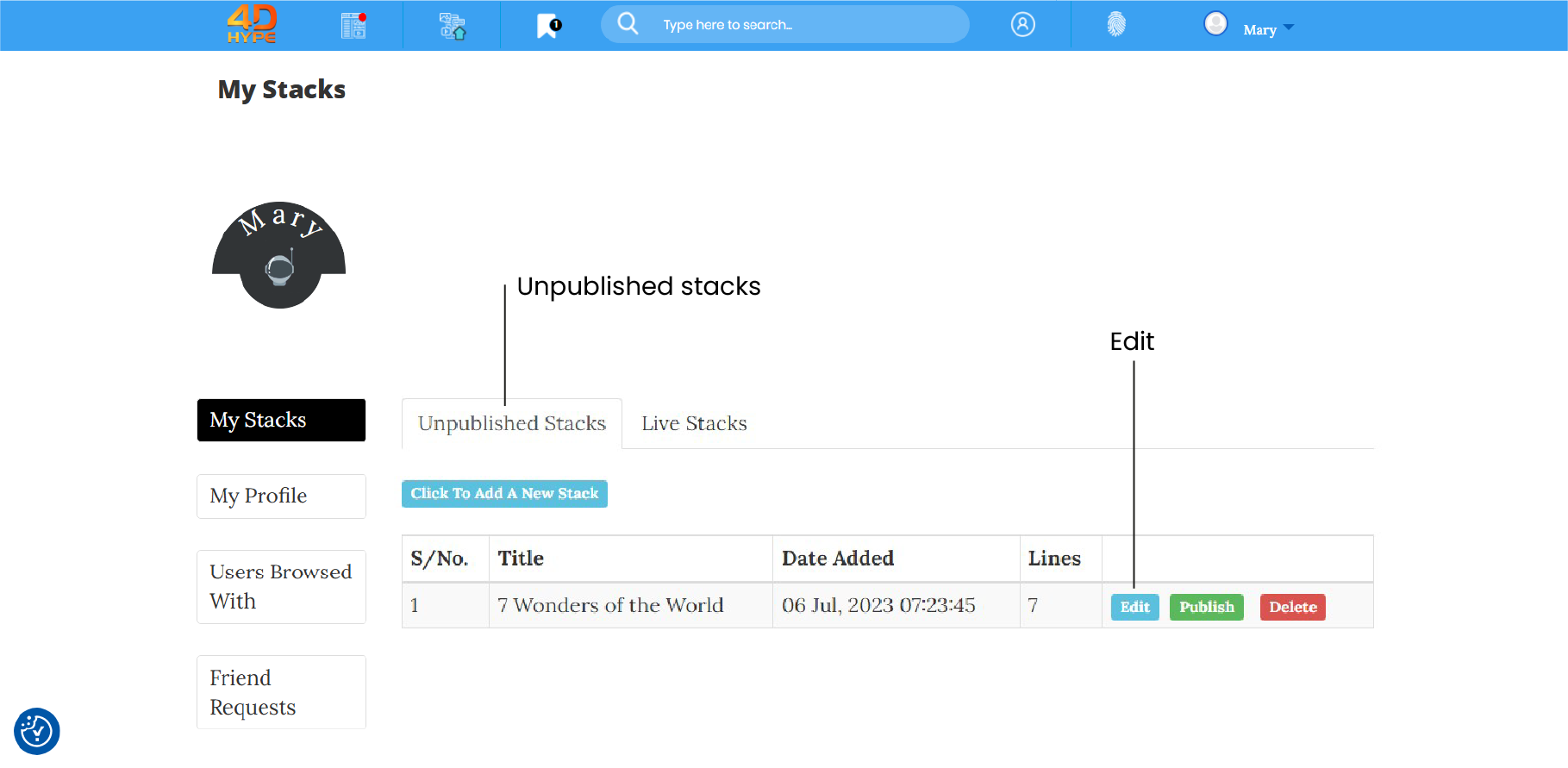
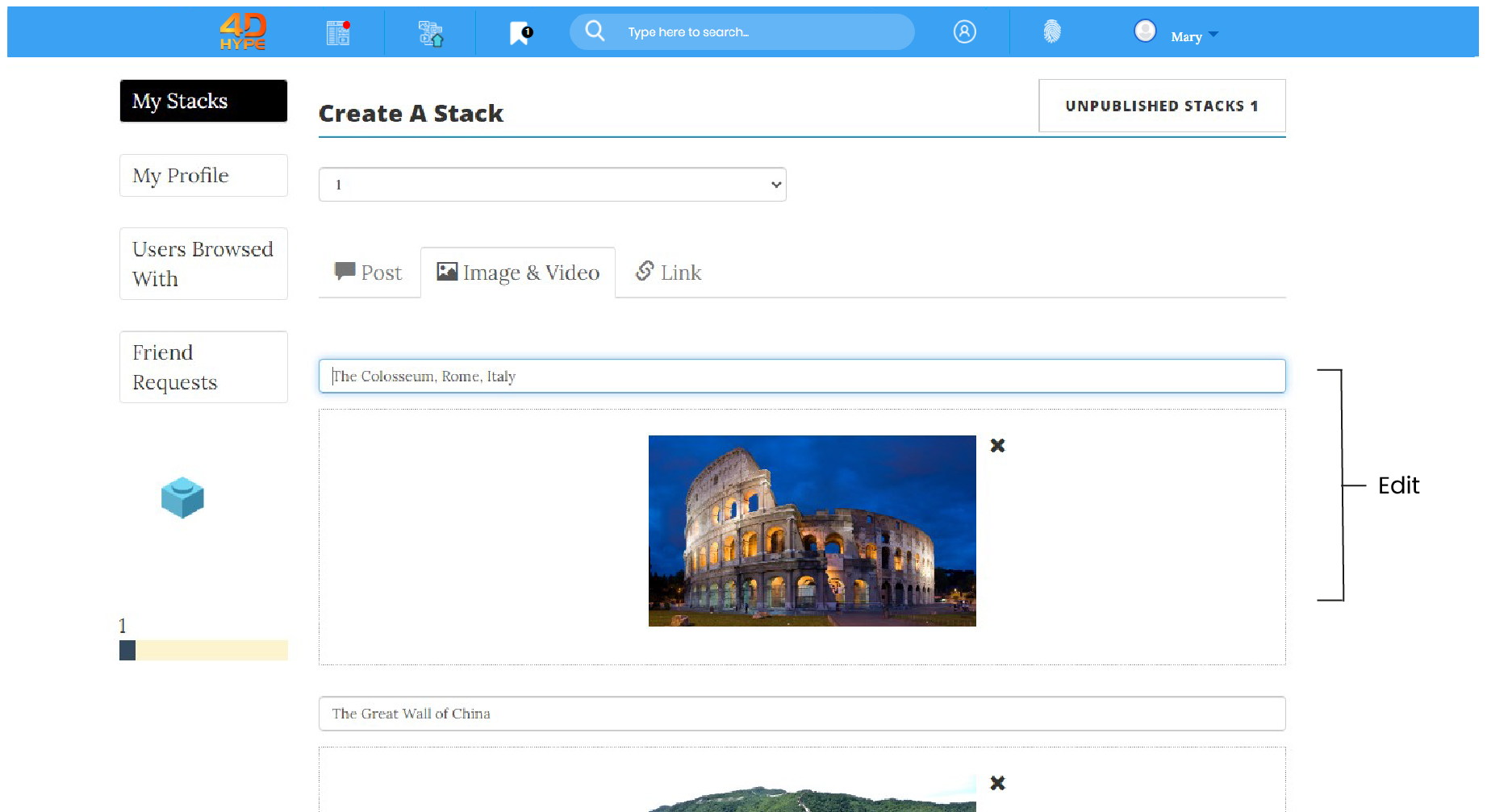
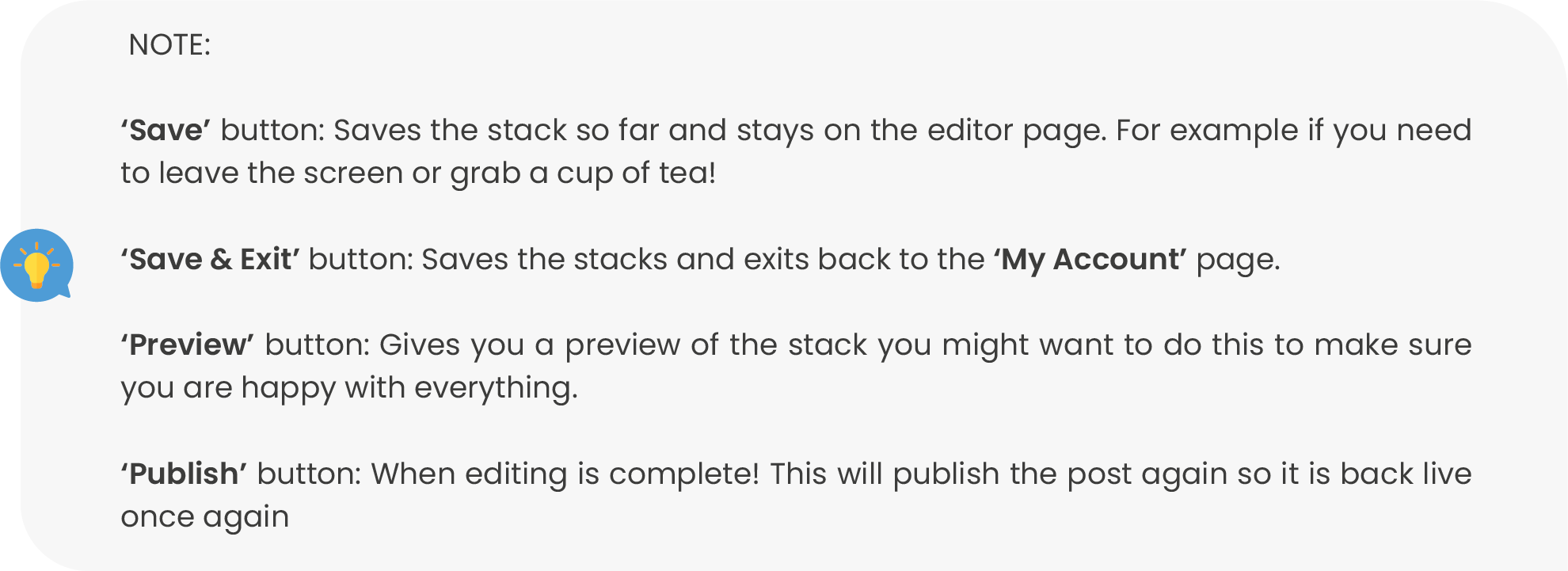
4. From here you can edit the stack, in cases, especially of where you may spot a mistake or even if you feel you just want to add to the stack to make it more comprehensive. Whatever your editing criteria we welcome your edit! To edit, click' Unpublished Stacks' tab and click on to the 'Edit' button.
5. The stack wizard will open the stack in the correct editor view, ready for you to edit.
Not quite what you're looking for?
Contact Us